
How to View a Message's Delivery Status
After a text message and/or email is sent through the website, you can view each recipient's delivery status.
👀 How to View All Announcements
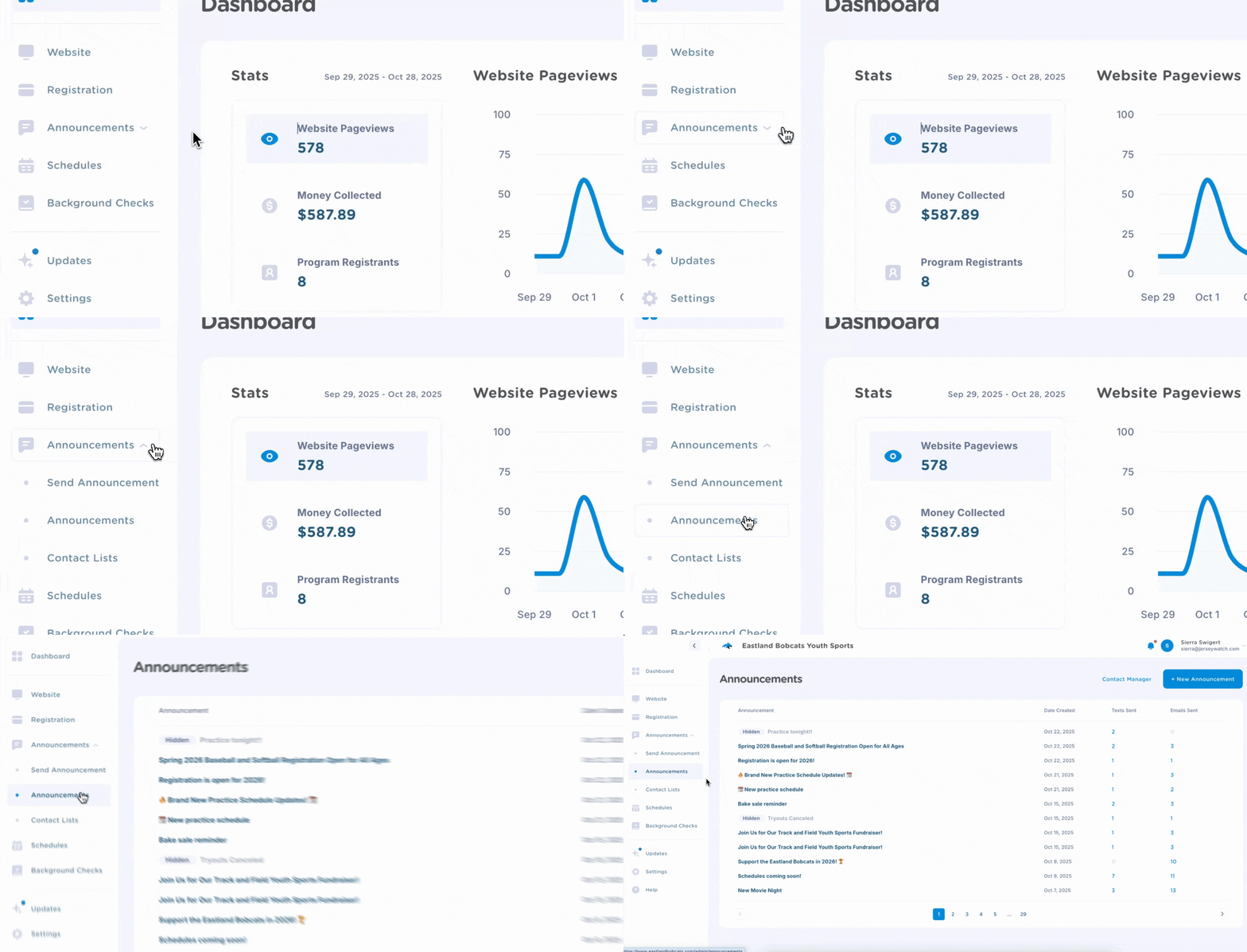
On the side navigation, click Announcements to expand the dropdown and then choose Announcements. This will bring you to a new page that displays all announcements posted and/or sent.
✅ How to View an Announcement's Delivery Status
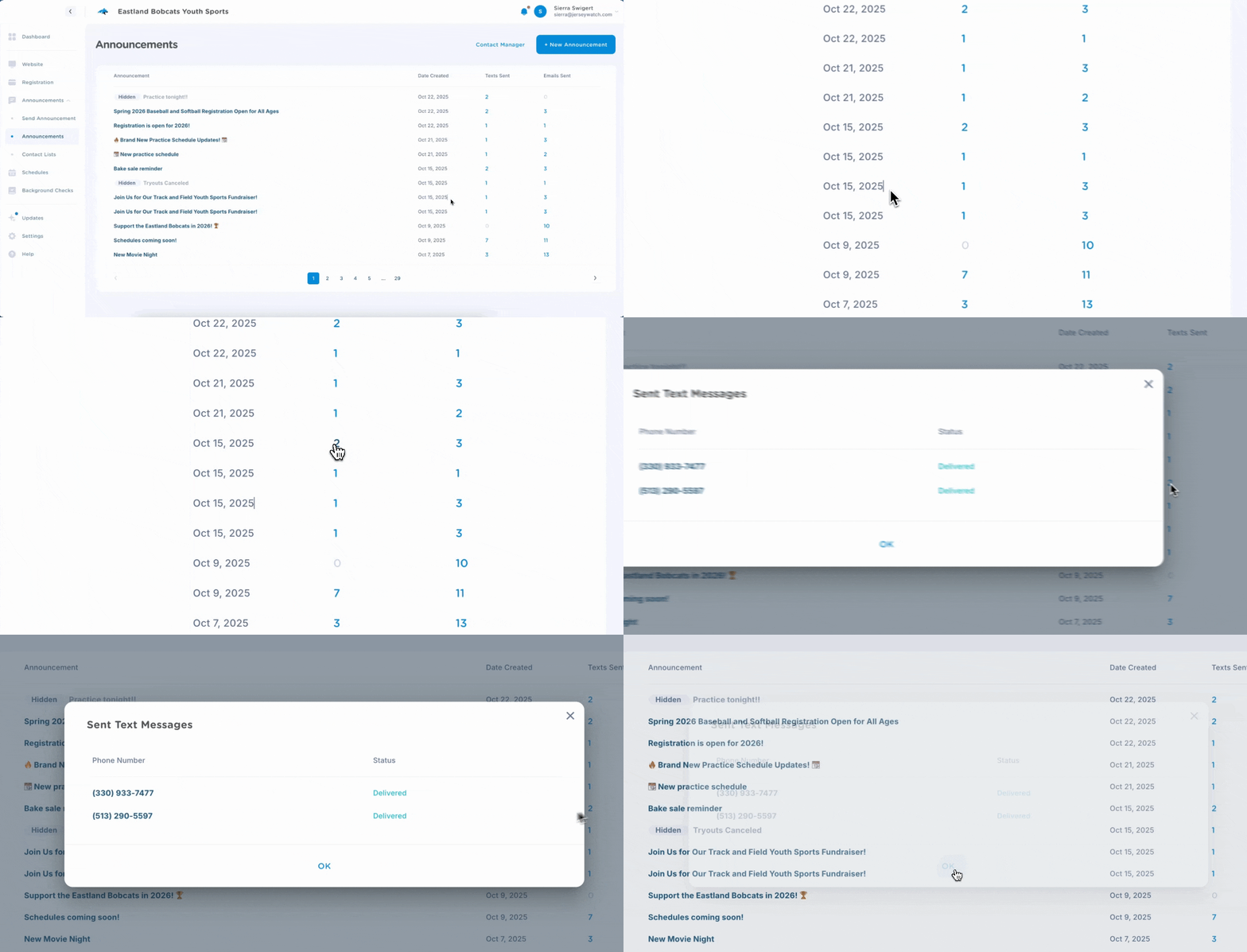
On the Announcements Page, you'll see a column for Texts Sent and another for Emails Sent. Each number represents an individual recipient who we attempted to message. Click on each number to see a list of numbers and/or emails and their delivery status.
📲 Statuses Explained
- ✅ Delivered: the message was successfully delivered to the recipient
- 📖 Opened: the recipient opened and viewed the message
- ⛔ Unsubscribed: the recipient previously unsubscribed from receiving messages
- ❌ Invalid: the number or email is no longer accepting messages
- 🙅 Reported as Spam: the recipient has previously marked messages as spam. See below for how to proceed if this has been a mistake.
💡 Tips for Unsubscribed Recipients
If someone has unsubscribed from text messages and would like to receive them, they can text START to 855-920-0759.
If someone has unsubscribed from emails, please have them email help@jerseywatch.com. Our Customer Care team can manually update their account.