
How to Create a Basic Schedule
You can easily add predetermined schedules and events to your website to keep families informed and organized. The Basic Schedule option is perfect for events such as practices, fundraisers, parent meetings, and predetermined games.
Step 1: Create a Basic Schedule
- Navigate to your Schedules page in the side navigation
- Click the white +Add New Schedule button on the left-hand side
-
Click the Add Basic Schedule option
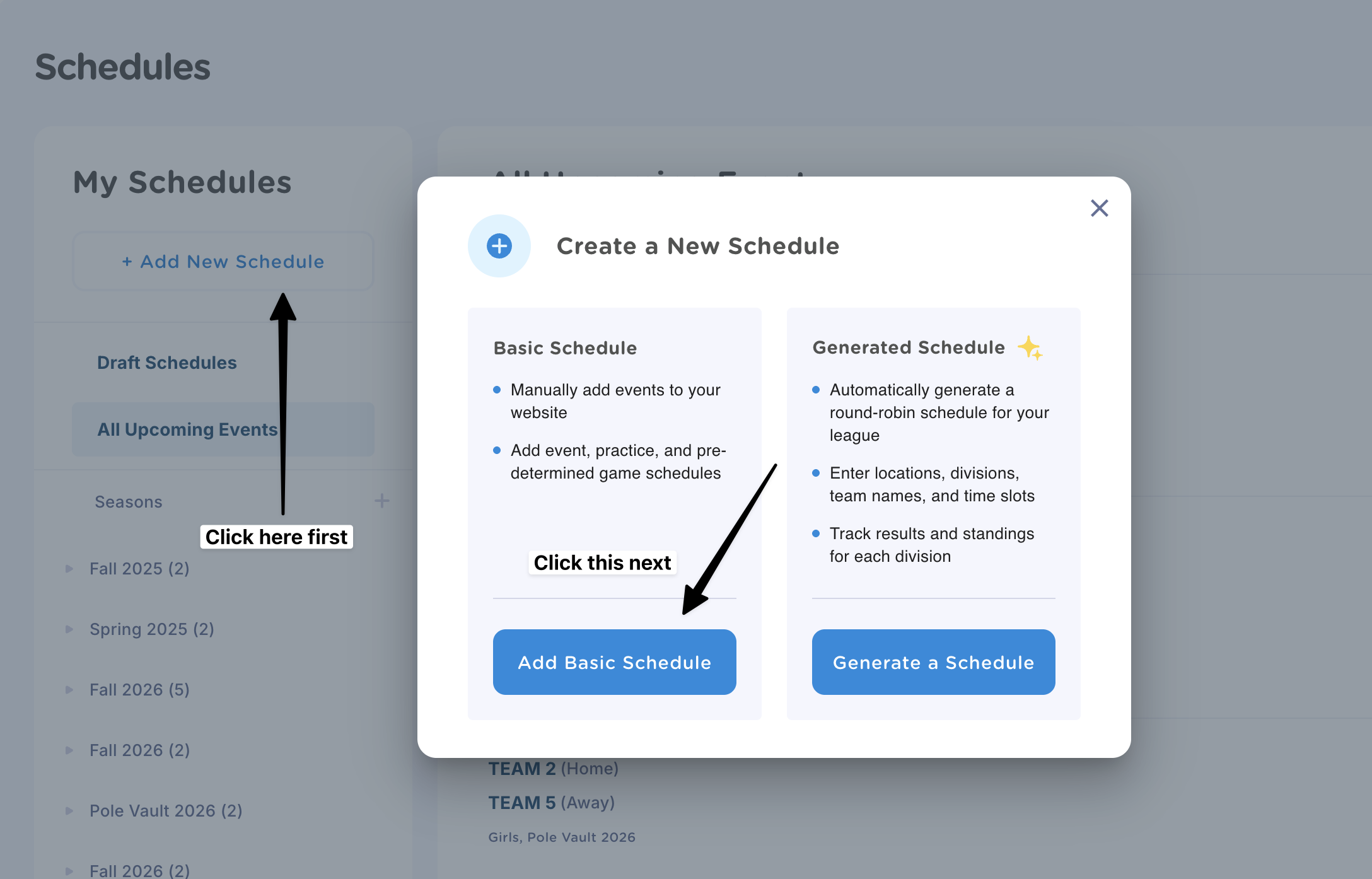
- Enter the name of your schedule (ie. 5th Grade Football) and choose whether you’d like to add a direct link to this schedule to your website’s menu bar
- Click Create
Step 2: Add Events to your Basic Schedule
- Navigate to the schedule you just created
- Click on the white +Add Event button in the top right-hand corner
- Enter the event details such as the title, date, time and location
- Click "Add" to publish the event to your schedule

How to Use Seasons to Organize Information
Seasons are a great way to group game, practice, and event schedules together. All events within a season can be viewed together on your website, making it easier for families to find what they need.
For example, you can create a Season for Fall 2026 and add multiple schedules under it:

How to Create a New Season
- Navigate to your Schedules page
- Click the + button next to Seasons
- Enter in the Season name (ie. Fall 2026)
- Click "Save"

- From there, you can move individual schedules to this season or create new ones.
If you have any questions on this process, or need help adding a pre-made schedule to your website, reach out to our team at help@jerseywatch.com. We're happy to assist!