
How to Set-up Multi-Registrant Discounts
Multi-registrant discounts are a great way to help families save when registering multiple athletes. Discounts are automatically applied when families register athletes using the same account.
This guide covers how to create new multi-registrant discounts, link existing discounts to additional programs, and manage discounts across your organization.
How to Set-Up New Multi-Registrant Discounts
Use this option if your organization hasn't offered multi-registrant discounts before or if you need to create a new discount.
- Click Registration in the side navigation.
- Navigate to your Programs page and click + Create New Program.
- Complete Step 1 and proceed to Step 2.
- Scroll to the Pricing section and click +Multi-registrant discounts
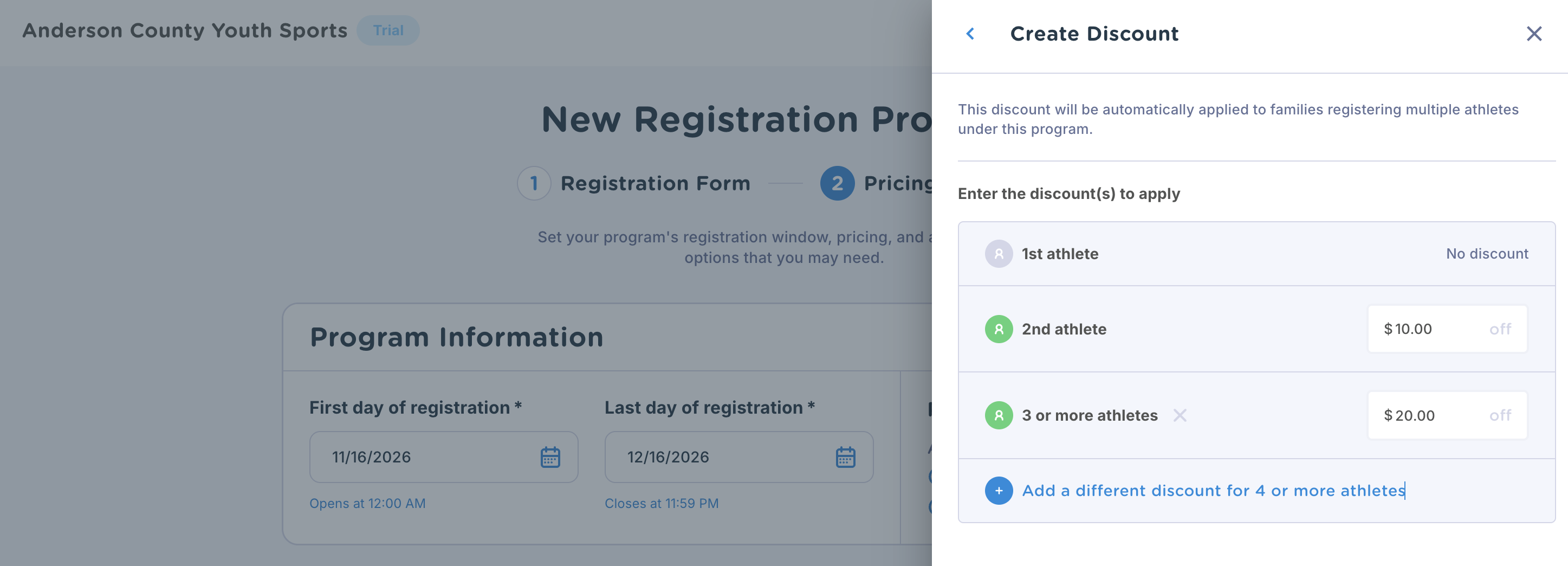
- Enter the discount amount for the second registrant and any additional registrants. If you want to offer different discount amounts for the third or fourth athlete, you can add additional discount levels.
- Click Save.
How to Link Existing Discounts
Many organizations offer the same multi-registrant discount across different sports, age groups, or programs. If you've already created a discount and want to apply it to another program, you can link the programs together.
- Create a new program and complete Step 1
- On Step 2, scroll to the Pricing section and click +Multi-registrant discounts
- Click Link with other active programs
-
Review the available discounts and click Link with this discount next to the one you want to use.
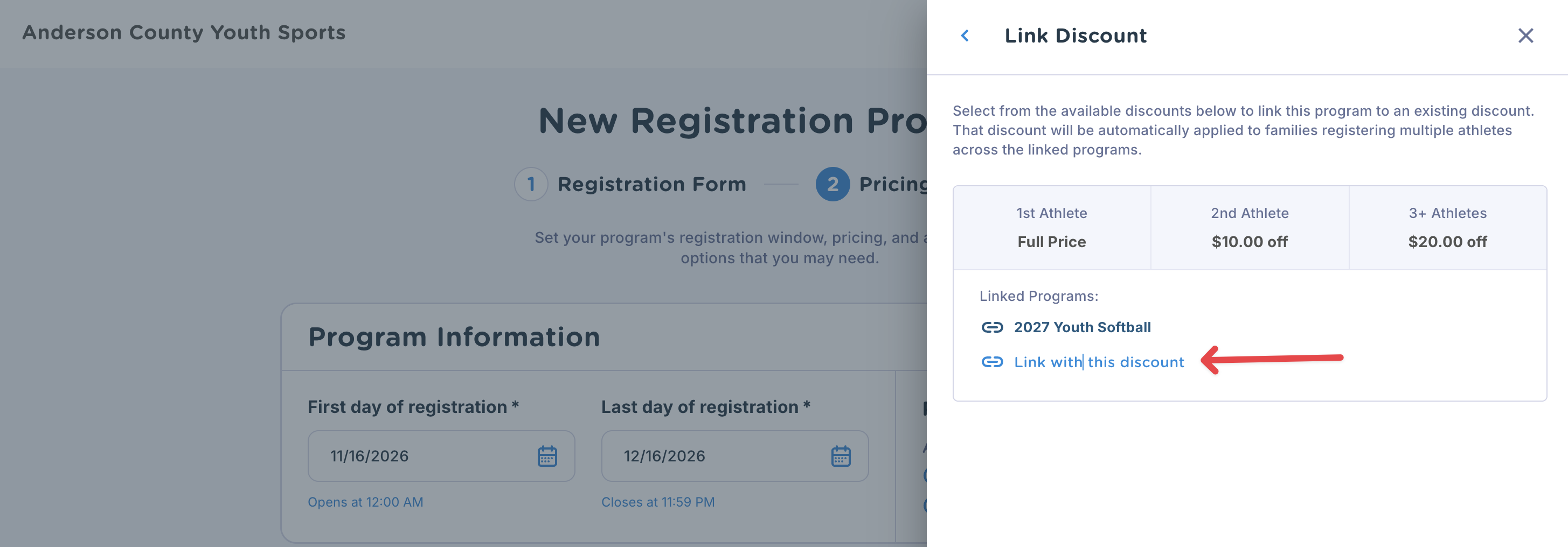
- Confirm that you want to link the programs by clicking Link Programs.
- Finish completing Step 2 and click Create
How to Tell if a Program Has a Multi-Registrant Discount
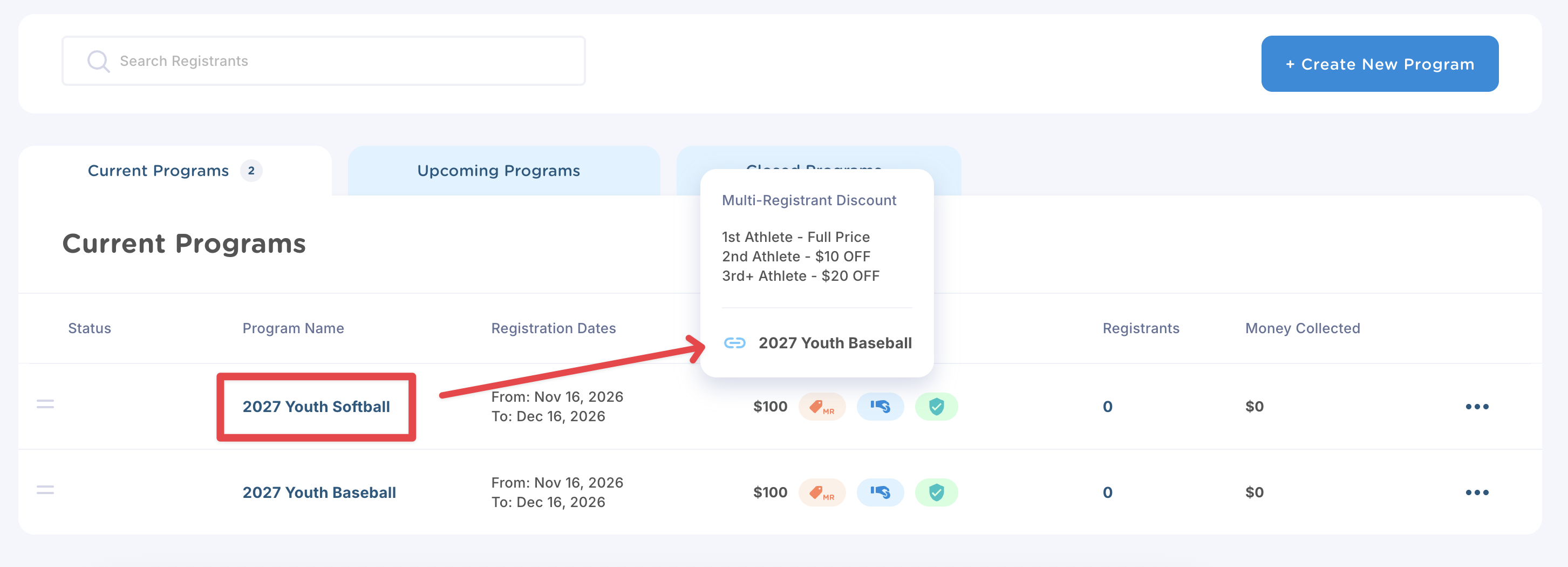
You can quickly identify which programs have multi-registrant discounts from your Programs page. Look for the orange price tag icon labeled MR next to the program. Hover over the icon to see which other programs are included in the discount.
In the below example, a parent who registers a child for 2027 Youth Softball would also get a discount if they then registered another child for 2027 Youth Baseball.
Reminders and Best Practices
Tip #1: Understand Linked Programs and Their Impact
You can choose to link multiple registration programs to the same discount. This means that the registrant will receive the discounted amount for any of the programs listed below no matter what order they register in.
Tip #2: Communicate Discounts to Parents
Discounts only apply when parents register athletes using the same account. Make sure to clearly tell families to log in with the same email they used previously in order to receive the discount.
Tip #3: Be Cautious When Linking to Closed Programs
When you link a closed program to a new discount, participants who already registered for that closed program are eligible for the discount. If you only want to offer the discount to families registering for currently active programs, create a new discount and link it only to those programs.
Example: If you link a 2025 Baseball program to a 2026 Baseball program, returning players who already registered for the 2025 season will also receive the multi-registrant discount when they register again.